
Screen time, without the nightly argument
A better answerto “five moreminutes.”
You set the limit. They earn a little extra by learning.
And bedtime still wins.
3 months freeEligibility & renewal terms apply
Step 1 of 4The moment
8 pm.
“Five more minutes.”
Again.
It isn’t really about five minutes. It’s the same negotiation every night — and ending it is always the parent’s job.
What if the plan did the ending, and the extra minutes had to be earned?
Step 2 of 4How it works
One plan.
Agreed once.
You set the limit.Which apps, how much time each day, and when bedtime starts.
They earn a little extra.Quiz questions and brain games add minutes, at the rate you choose, up to a daily cap.
Bedtime still wins.Earned time never overrides bedtime or a pause. Asking for more goes to your phone.
Step 3 of 4Inside the app
What your family
actually sees.
Swipe through the real app — your phone, and your child’s.
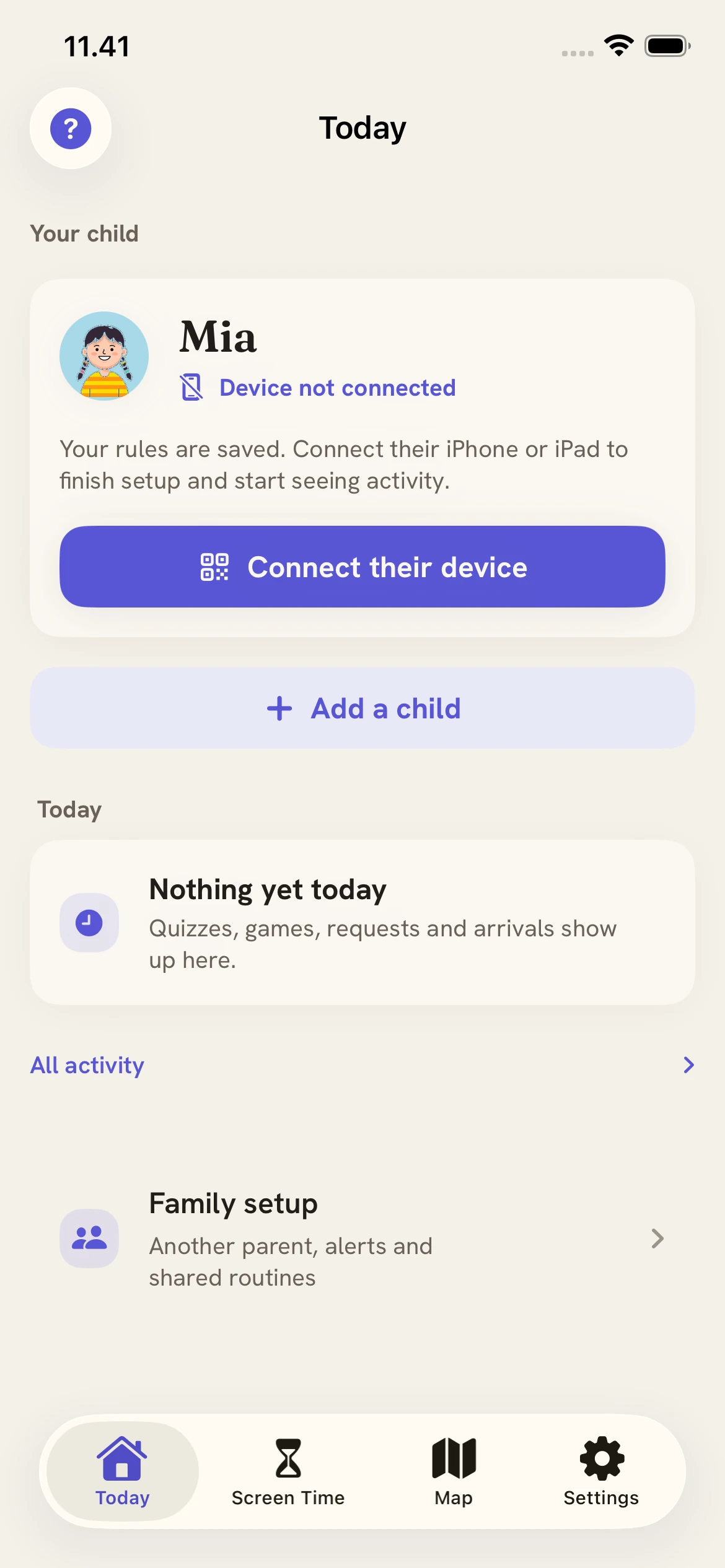
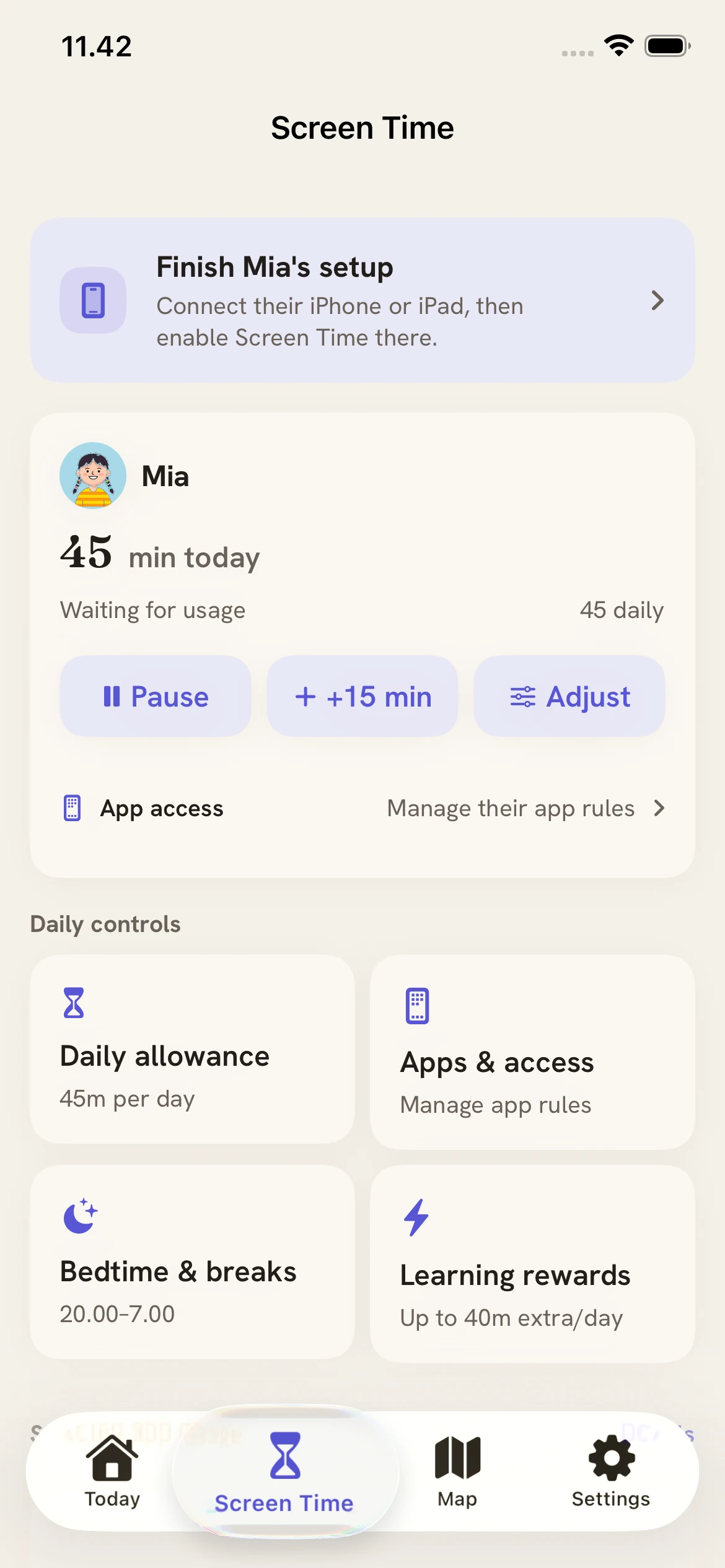
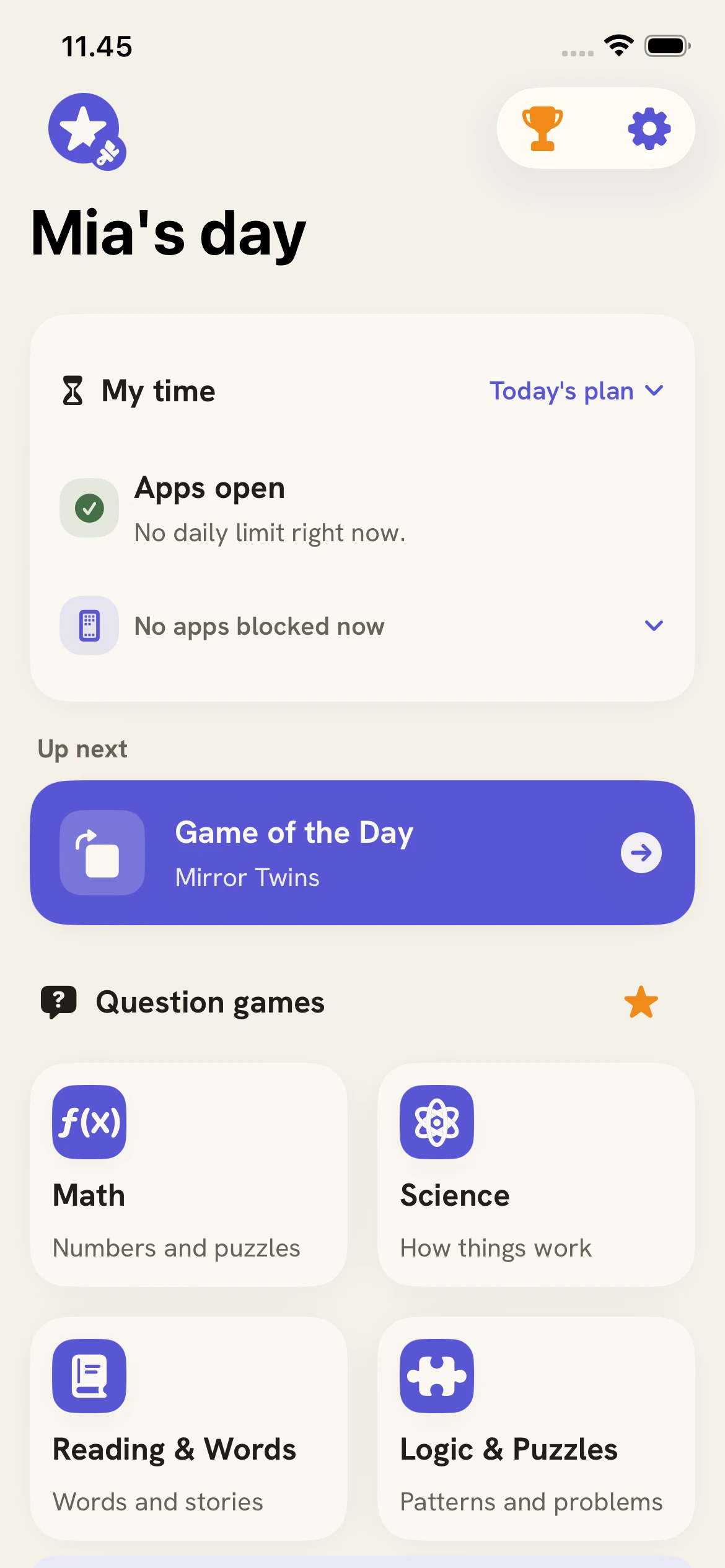
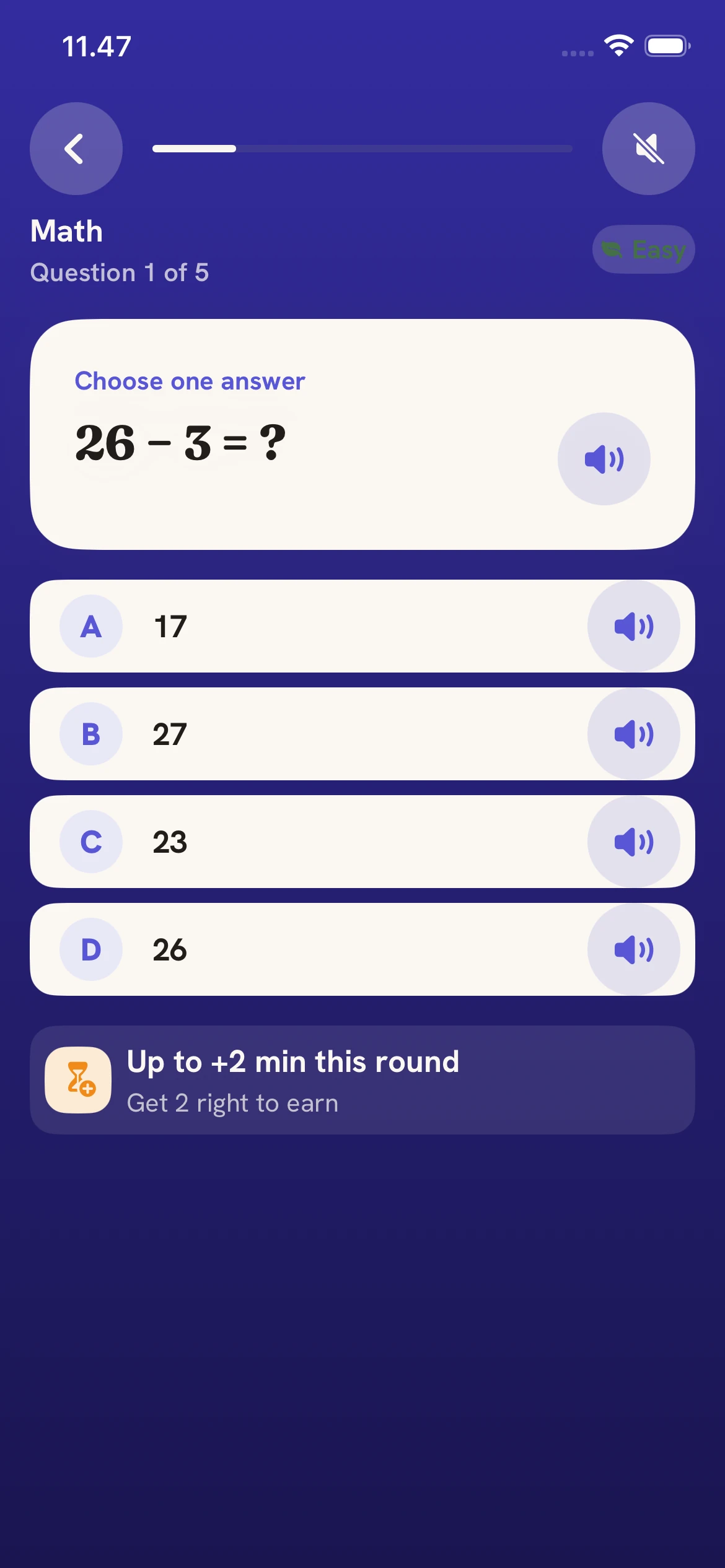
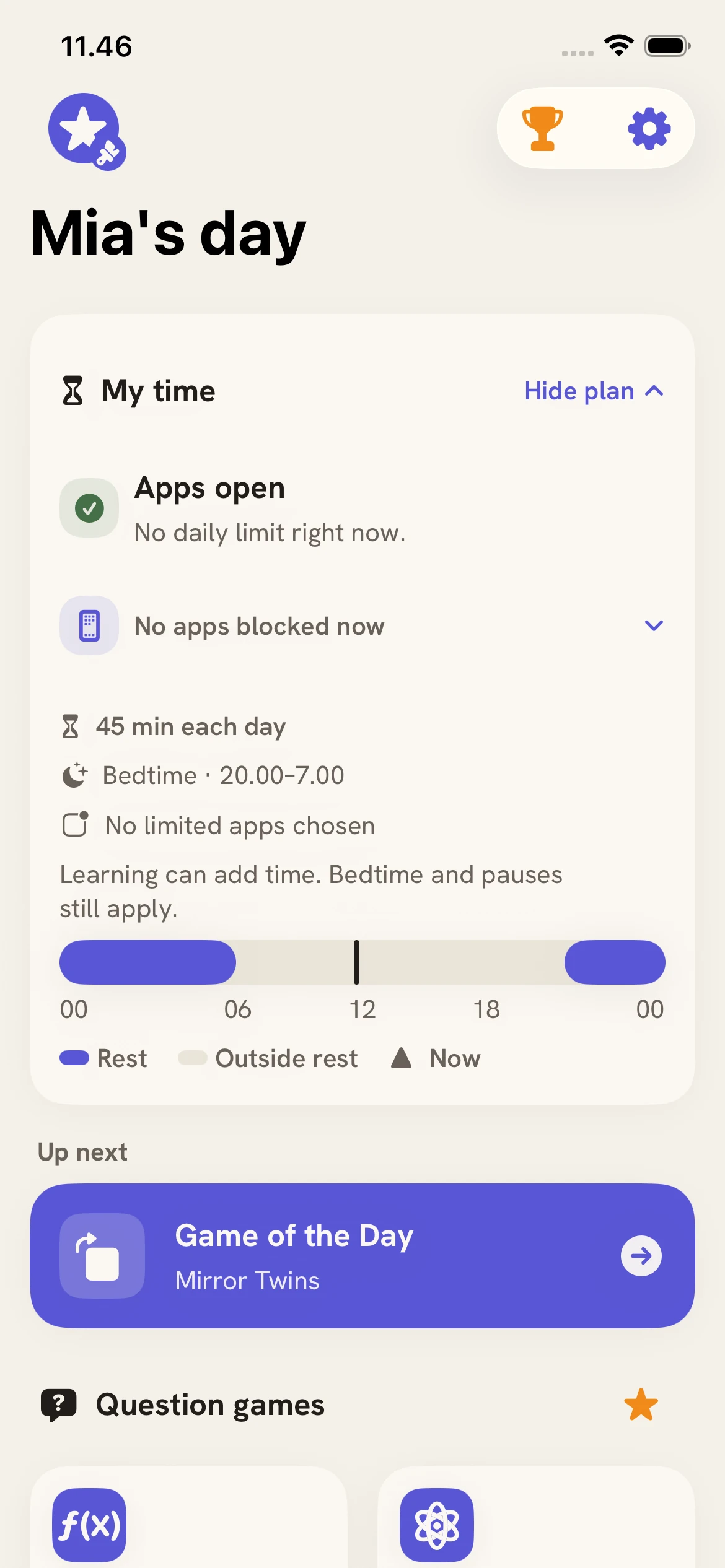
Development preview · Actual native app with example family data.
Screens may differ from the current App Store release.
Step 4 of 4Good to know
Made for families.
Kept private.
- Built on Apple Screen Time
The limits run on Apple’s own Screen Time on your child’s iPhone or iPad.
- Private by design
Shield never reads messages, photos or browsing. Family data stays in your private iCloud.
- One plan, the whole family
Every child gets their own settings. Your co-parent joins the same family.
- iPhone & iPad
A parent device and a child device, both on iOS or iPadOS 26 or later.
Your chosen subscription renews automatically. A monthly plan begins monthly billing; a 3-month plan charges the 3-month price every three months; a yearly plan charges the full annual price for the following year. Check your local price before claiming and review the exact amount and renewal date in Apple’s confirmation screen. Cancel in Apple Account settings at least 24 hours before the free period ends to avoid renewal.
Founding Families · the first 500
3 months.Free.
The full app for your whole family. Every child, your co-parent, and a shared plan to start with.
- 1 Choose your plan
- 2 Confirm your email
- 3 Redeem your Apple code
Cancel anytime in your Apple settings, at least 24 hours before it renews.
See how redemption worksGet Shield
on iPhone & iPad.
If you use a valid offer code, redeem it before starting a subscription. Apple confirms eligibility and the exact terms.
Scan with your iPhonePoint the camera at the code.
A parent device and a child device · iOS / iPadOS 26 or later